Twelve pads. Twelve sounds you didn’t pick.
Plug your iPhone or iPad into your K.O. II with a USB-C cable and hit Override. The twelve pads of a group get new sounds from the machine’s own library. A kick is still a kick, a hat is still a hat. Everything else is up for grabs.
Don’t like it? Hit it again. Love three pads? Lock them and reroll the other nine.
It is not a sample manager. It gets you past the blank project, with a kit you would never have built yourself. No computer.
Free. Pro is a one-time purchase.
Try the pads
Hit Override. Light Lock, tap the pads to keep, override again.
A simulation in your browser, with each pad’s sound number and category. In the app, the pads show your K.O. II’s own sounds, and every change is written to the machine, then read back.
Jam cards · 24 in the deck
Or draw a jam card
Three cards, face down. Pick one. It flips over and deals you a whole kit, a rule and something to make.
A simulation in your browser: nothing is written anywhere. In the app, Play this empties the project and writes the card’s kit to your K.O. II.
The back shows the suit and how hard the card is. The rest is a surprise.
One sound on all 36 pads. Eleven toms and one cowbell. A kit with no drums at all. Birdsong for a melody. Twenty-four cards, four suits, from one skull to three.
- A card writes its whole kit, from the machine’s own sounds: up to 36 pads on groups A, B and C.
- It comes with a rule and something to make: “swing on”, “8 bars at 90 BPM”. Not your card? Deal again, as often as you like.
- A card starts from an empty project. The app asks before it erases one: back up first if you want to keep it.
Roll the pads
- Override
- A whole new kit for a group, in about a second. Each pad draws from its own category: kicks, snares, hats, percussion.
- Lock
- Keep the pads you like, roll the rest.
- Mutate
- Touch a pad, get the sound next door.
- Tweak
- Touch a pad, bend its pitch and volume, within the bounds you set.
- UndoRedo
- Step by step. Nothing you rolled is lost.
- 7
- Touch any pad to hear it on the K.O. II.

Sound sets for group D
Ten sets of twelve sounds, all CC0: free to use, free to share. Listen before you load. Override works on group D too, among your own sounds.
- Sine MachineElectronic drums · Easy Peasy GamesFree
- Bleep BoxSynth tones · Easy Peasy GamesFree
- Dust TapeLo-fi drums · Easy Peasy Games
- Deep EndBass notes in C minor · Easy Peasy Games
- Chord ShopChords in C minor · Easy Peasy Games
- Noise ToysEffects · Easy Peasy Games
- Market DayWorld hand percussion · Versilian Studios (VCSL)
- Wood & MetalWood and metal percussion · Versilian Studios (VCSL)
- Keys & MalletsKeys and mallets in C · Versilian Studios (VCSL)
- Rust BeltAcoustic drum kit · Karoryfer Samples
Six sets are synthesized by Easy Peasy Games from oscillators and noise. Four are built from the Versilian Community Sample Library and Karoryfer Samples’ Big Rusty Drums, both released under CC0 1.0. In the app, every set credits its author, licence and source.

Backups
Override and jam cards write to the machine. Back up first, and any project can be restored.
- Back up one project or the whole machine, with or without its sounds, in the official
.ppakand.pakformats. - A project’s backups are kept as dated versions. Restore any of them from the project’s menu.
- Copy a project and paste only parts of it: sounds, faders, master FX, sequences.
- Everything the app writes is read back from the machine, to check it arrived intact.

Free and Pro
Free
No account, no time limit.
- Group A: Override, Mutate, Tweak, Lock
- Your own sounds on group D
- Every backup: projects, the whole machine, Copy and Paste special
- Two sound sets: Sine Machine and Bleep Box
- Five jam cards, each with its whole kit
- The demo, with no K.O. II
Pro
One purchase
At the App Store’s price in your country. No subscription.
- Everything in Free
- Group B: Override, Mutate, Tweak, Lock
- Group C: the same
- All ten sound sets
- All 24 jam cards
What you need
- iPhone or iPad
- With USB-C, on iOS 26 or later.
- A K.O. II
- Also called EP-133. Kit Override writes to it on OS 2.5.1. On another OS it connects read only, and backups still work: what read only means.
- A cable
- USB-C to USB-C. No computer.
- No K.O. II at hand?
- The app has a demo: every screen, no machine.
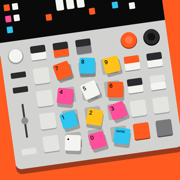
On the App Store
For iPhone and iPad. Free. Pro is a one-time purchase.
Questions, or a K.O. II on an OS the app doesn’t write to yet? kitoverride@easypeasy.games